
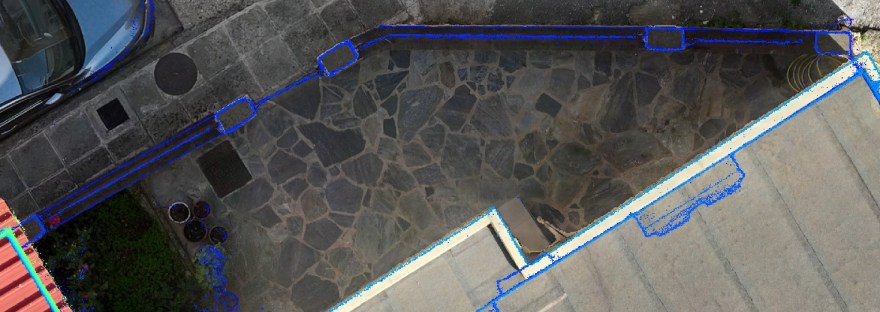
As part of my work in geospatial data processing and 3D mapping, I’ve developed a new custom QGIS plugin called Vertical Wall Rasterizer. This tool is designed to streamline the workflow of extracting and visualizing vertical surfaces (like building facades or retaining walls) from LAS point clouds — especially those generated by SLAM-based indoor scanners, drones, or static LiDAR.
🔍 What it Does
The Vertical Wall Rasterizer plugin:
- ✅ Filters vertical structures from 3D point cloud data (.las files)
- ✅ Projects the points onto a 2D image plane
- ✅ Creates a colorized raster (GeoTIFF) representing the vertical section
- ✅ Automatically loads the output into QGIS, ready for analysis or map layout
- ✅ Uses QGIS-native tools only (no rasterio or heavy dependencies)
This tool is ideal for:
- 📐 Architectural façade mapping
- 🏗️ Construction site documentation
- 🧱 Structural inspections
- 🛰️ Post-processed SLAM and LiDAR visualizations
💡 Features
- Clean and minimal UI – dockable panel inside QGIS
- Fast processing with NumPy
- Colorized output for enhanced readability
- Supports both indoor and outdoor datasets
- Automatic raster display in QGIS (no extra steps!)
🔧 How it Works
The plugin reads a .las point cloud and applies a slope-based filter to detect nearly-vertical surfaces. These points are then binned into a raster grid and saved as an RGB image using QgsRasterFileWriter. The raster is georeferenced in X and Z, making it ideal for profile or façade representation.

 topometrics.gr